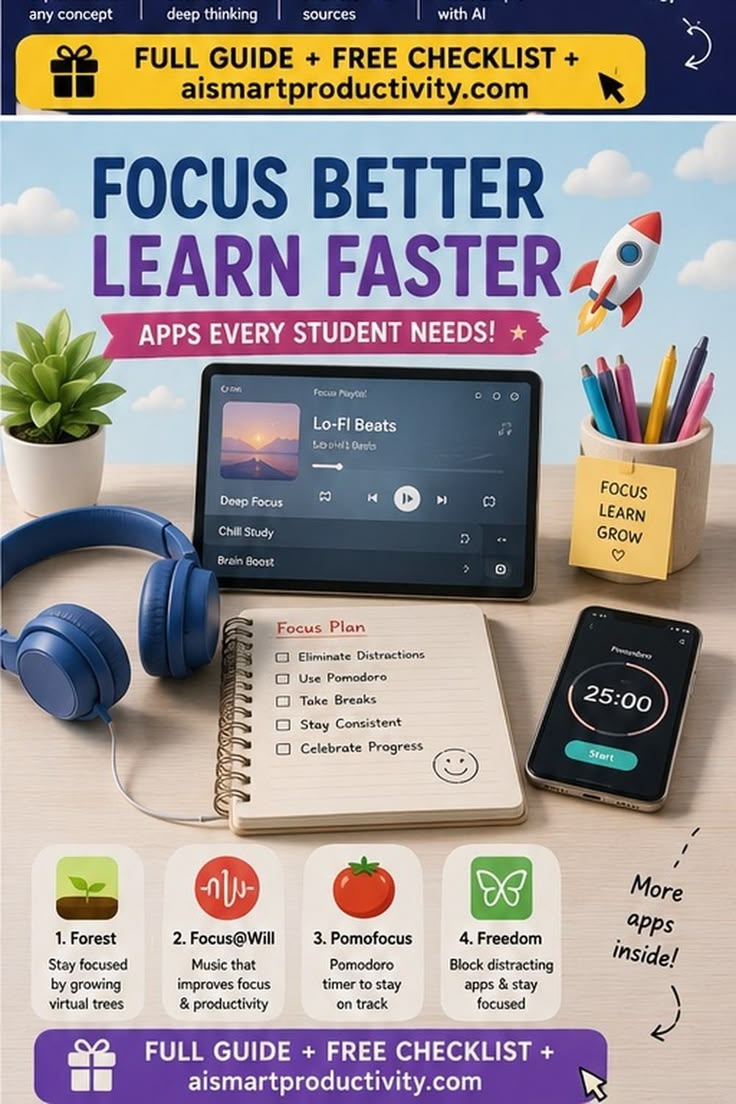
Here is a complete breakdown of the four focus and productivity applications highlighted in your image, along with a step-by-step setup guide and tailored study pathways for students.
1. Step-by-Step Guide for Each App
1. Forest (Gamified Gamification & Phone-Free Focus)
Best for: Students who constantly pick up their phones out of habit.
Step 1: Download and open Forest on iOS, Android, or desktop.
Step 2: Select the timer length (e.g., 25 or 50 minutes) and pick a virtual tree species to plant.
Step 3: (Optional) Turn on Deep Focus Mode / Strict Mode in settings to prevent navigating away from the app.
Step 4: Tap Plant. As you work, your virtual tree grows. If you leave the app to check social media or games before the timer ends, your tree wilts and dies.
Step 5: Collect coins from completed sessions to unlock new tree designs, ambient soundscapes, or real-world tree-planting initiatives.
2. Focus@Will (Neuroscience-Based Audio)
Best for: Students who struggle with background distractions or need tailored music to reach a “flow state.”
Step 1: Sign up on the web or mobile app and take the brief Brain Type Quiz to assess your cognitive focus profile.
Step 2: Select a channel based on your mood or task (e.g., Alpha Chill, Lo-Fi Beats, Electro-Bach, or ADHD-specific channels).
Step 3: Adjust the Energy Level slider (Low, Medium, High) depending on whether you are reading, solving complex equations, or writing.
Step 4: Set the integrated session timer (15, 30, or 60 minutes) and hit Play with headphones on to begin working without intrusive lyrics or rhythmic jumps.
3. Pomofocus (Minimalist Pomodoro Timer)
Best for: Structuring daily study sessions with fixed work-rest cycles.
Step 1: Open
pomofocus.ioin any browser or launch the desktop/mobile app.Step 2: Under Tasks, click Add Task, type in what you are studying (e.g., State History Chapter 4), and estimate how many 25-minute “Pomodoros” it will take.
Step 3: Press Start. Work uninterrupted for 25 minutes until the chime sounds.
Step 4: Take a 5-minute Short Break (step away, stretch, hydrate).
Step 5: Repeat 4 times, then take a 15–30 minute Long Break to fully recharge.
4. Freedom (Cross-Device App & Website Blocker)
Best for: Strict, non-negotiable blocking of distracting websites and apps across all devices.
Step 1: Install Freedom on your phone, tablet, and computer.
Step 2: Create custom Blocklists (e.g., block Instagram, YouTube, Reddit, news outlets, or specific games).
Step 3: Select which devices to sync under the session settings.
Step 4: Set a timer or schedule automated focus sessions (e.g., Block Distractions every weekday from 9:00 AM to 1:00 PM).
Step 5: Enable Locked Mode if you tend to disable blockers mid-session—this prevents you from stopping the blocker until the time runs out.
2. Student Study Pathways
Combining these apps creates structured study workflows based on your personal learning style:
Pathway A: The Deep Work & Exam Prep Strategy (Heavy Distraction Removal)
Use this routine during intense study phases (revision for major exams or long study marathons):
Pre-Session: Launch Freedom to lock down social media across your phone and laptop for 3 hours.
Audio Setup: Put on headphones and fire up Focus@Will (set to Medium/High energy instrumental tracks) to block environmental noise.
Execution: Open Pomofocus or Forest for 50-minute work blocks followed by 10-minute breaks.
Break Time: Step completely away from screens during the 10-minute break to avoid cognitive fatigue.
Pathway B: The Daily Homework & Practice Routine (Gamified Flow)
Use this for daily task execution, problem-solving, or reading assignments:
Task Breakdown: List tasks inside Pomofocus and set target Pomodoros for each.
Phone Lockdown: Open Forest, set a 25-minute timer, and challenge yourself to build a full forest by the end of the afternoon.
Focus Sound: Play Focus@Will ambient background audio or Lo-Fi beats to maintain pace.
Reward: Track your completed visual forest at the end of the day to gauge total active study time.
Pathway C: The “Beat Procrastination” Quick Start (5-Minute Rule)
Use this when struggling with motivation to begin studying:
Turn on Freedom for 30 minutes to eliminate immediate digital temptations.
Set a single 15-minute timer on Pomofocus or plant a quick tree in Forest.
Put on a fast-paced track in Focus@Will.
Commit to working for just 15 minutes—once momentum builds, extend the timer into a standard 25- or 50-minute study block.