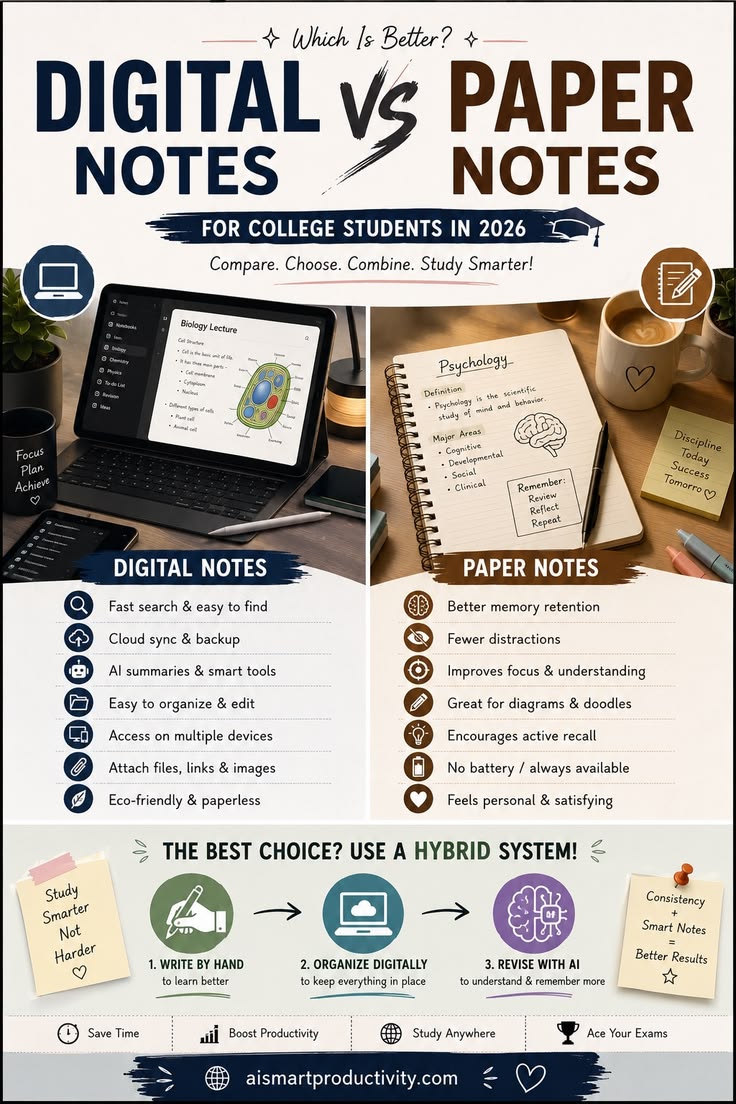
Choosing between digital and paper notes comes down to balancing retention and organization. Both mediums have unique strengths, and leveraging them strategically can significantly improve your focus, comprehension, and productivity.
Digital Notes: Speed & Scale
Digital note-taking shines when managing large volumes of information, organizing complex subjects, or storing resources that require quick retrieval.
Key Advantages
Instant Searchability: Locate specific keywords, dates, or concepts across months of notes in seconds.
Seamless Organization & Editing: Rearrange content, build folder hierarchies, and re-order outlines without clutter.
Multimedia & File Linking: Attach PDFs, images, web links, recordings, and audio files directly inline.
Cloud Syncing: Access your notes across all your devices (laptop, tablet, phone) with automatic backups.
AI & Smart Tools: Leverage AI features to quickly summarize lengthy text, generate flashcards, or convert hand-written notes into digital text.
Best Practices & Tips
Avoid Mindless Transcribing: Typing speed often leads to typing every word verbatim without processing. Practice active summaries: listen to a full concept, then type it in your own words.
Establish a Folder Structure Early: Use a clean hierarchy (e.g., Subject > Topic > Date) or a tags-based system (e.g.,
#exam-prep,#concept) so notes don’t get lost in a digital abyss.Control Distractions: Turn on Focus Mode or use app-blockers while taking notes on a tablet or laptop.
Paper Notes: Focus & Memory
Paper note-taking is unmatched for deep processing, understanding conceptual frameworks, and minimizing screen fatigue.
Key Advantages
Superior Memory Retention: Handwriting engages motor memory and forces cognitive processing, leading to better long-term retention.
Zero Digital Distractions: Eliminates notifications, tabs, and social media temptations during study or work sessions.
Tactile & Visual Freedom: Draw freehand diagrams, mind maps, margin annotations, and quick sketches without software constraints.
Always Available: Requires no battery power, charging cables, or software updates.
Best Practices & Tips
Use Proven Frameworks:
The Cornell Method: Divide your page into Cues/Questions (left margin), Main Notes (right), and Summary (bottom).
Mind Mapping: Place the main topic in the center and branch outward for non-linear, interconnected topics.
Keep an Index/Table of Contents: Reserve the first 2–3 pages of a physical notebook to record page numbers and main topics as you write them.
Use Color-Coding Purposefully: Limit highlighters or colored pens to 2–3 colors maximum (e.g., Red = Key Terms, Blue = Examples, Yellow = Questions) to avoid visual clutter.
The Ultimate Approach: The Hybrid System
Instead of choosing one over the other, combining paper and digital workflow creates a powerful balance between retention and structure:
First-Pass Processing (Paper): Take hand-written notes during live lectures, meetings, or deep reading sessions to focus and process information naturally.
Organization & Storage (Digital): Scan or quickly summarize your handwritten notes into a digital workspace (like Notion, Obsidian, or OneNote) to build a searchable digital archive.
Active Revision: Use digital flashcard systems (Anki) or AI summaries to test your knowledge, while returning to paper scratchpads when solving complex practice problems or mapping out ideas.
What specific subject, project, or exam are you taking notes for right now?